
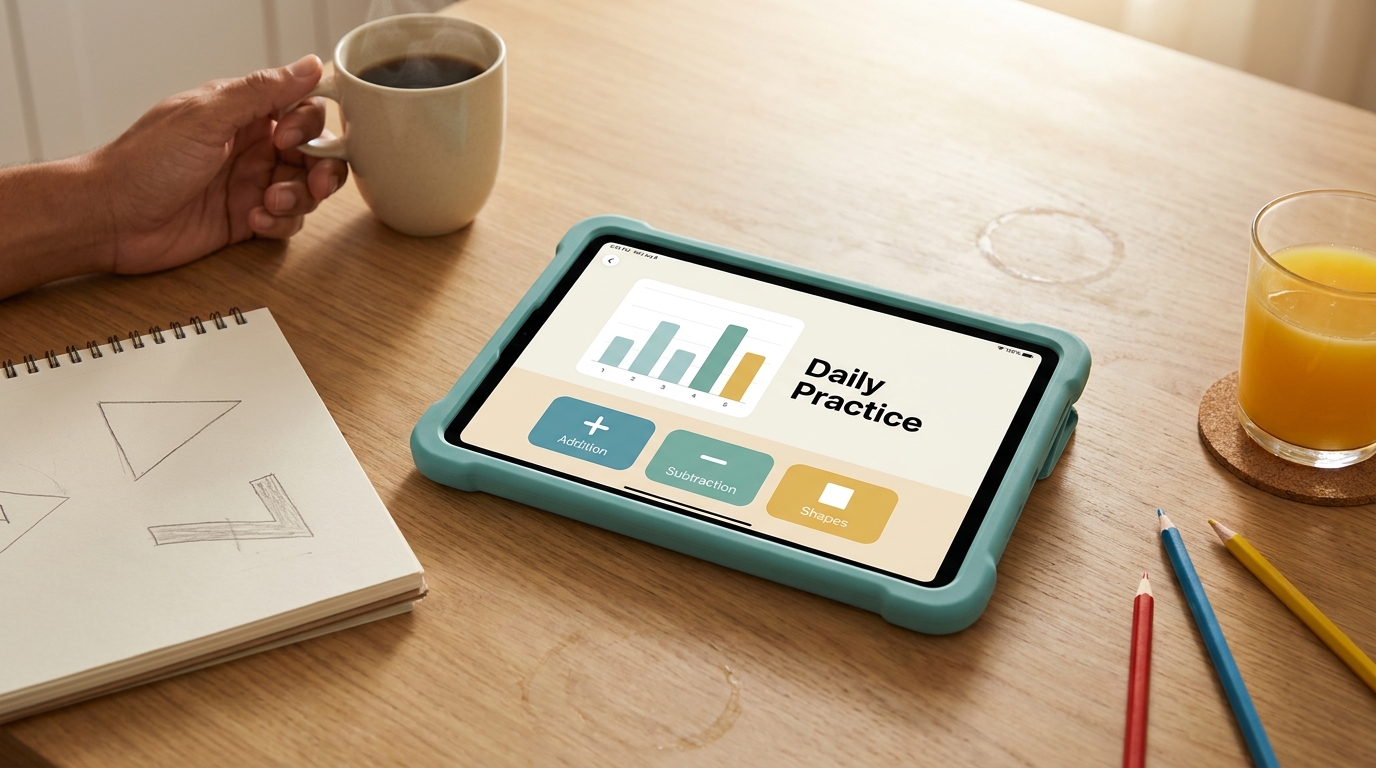

My 7-year-old asked Khanmigo is the AI tutor why volcanoes “throw up rocks” on a Tuesday morning in March, and it gave him a better answer than I did. That was the moment I stopped being skeptical of AI tutors for kids and started keeping a spreadsheet on them.
Over the last 11 months I’ve cycled through 14 apps with my two children (ages 7 and 11) on a rotating mix of an iPad Air, a Chromebook, and a hand-me-down Kindle Fire. Some I paid for. Two I got a free trial through a homeschool co-op friend. Most I stopped using inside three weeks. The 9 below are the ones still installed on at least one device as of November 2026.
What I’m not doing here is ranking these by “best overall.” A reading app for a struggling 6-year-old has nothing in common with a coding tutor for a kid who already does Scratch. I’ve grouped them by what they actually do well, and I’ll tell you what each one charges, what age it fits, and roughly how long my kids stayed engaged before tapping out.
How I tested these (and where my view is limited)
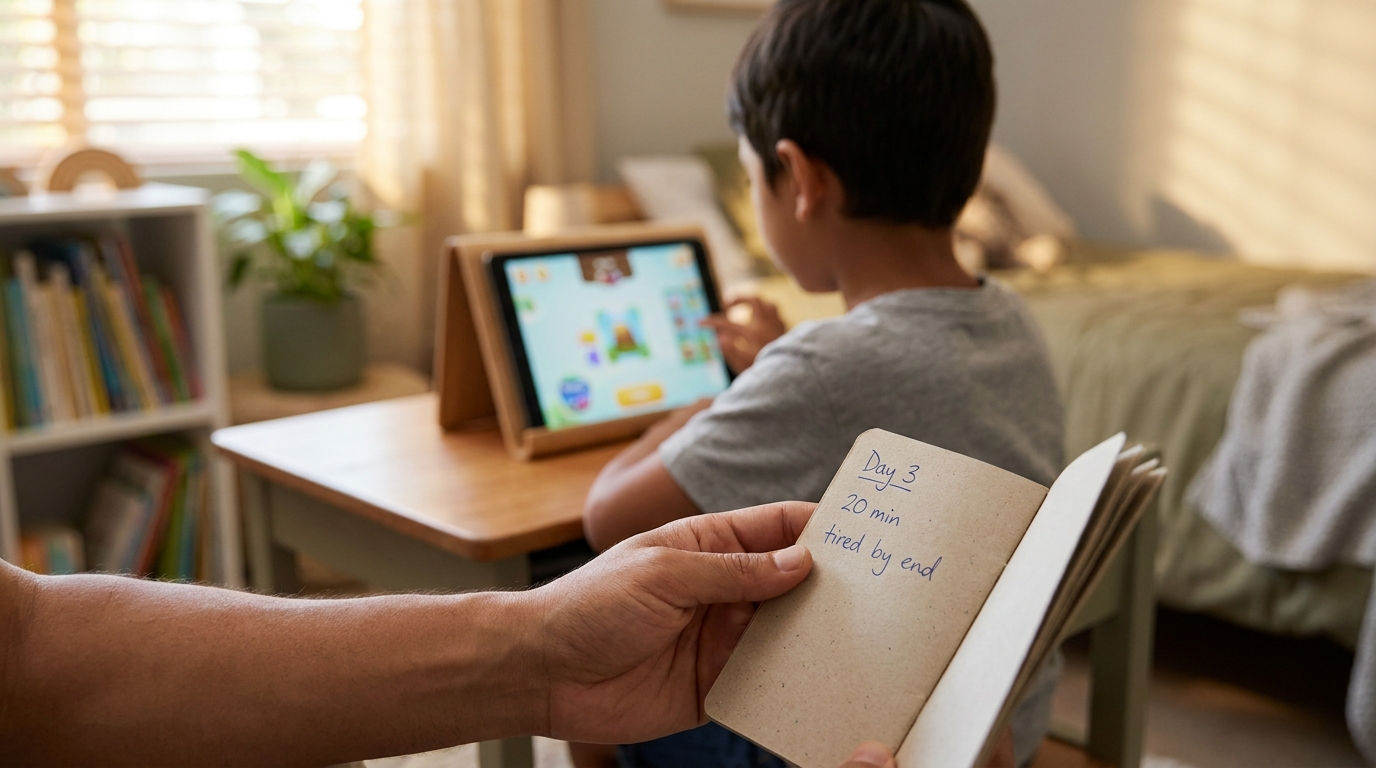
Each app got at least 14 days of near-daily use with one or both kids. I tracked session length with the screen-time report on iOS, noted what the kid did after closing the app (asked to keep going, complained, switched to YouTube), and kept a running list of things the AI got wrong. I’m one parent in a Punjabi-English bilingual household. My sample size is two children. Take the gendered or age-specific notes with that grain of salt.
I have no affiliate relationship with any app on this list. I paid for every subscription out of pocket except Khan Academy, which is free, and Synthesis Tutor, which I got 30% off through a referral from another parent.
Quick comparison: the 9 apps at a glance
| App | Best for ages | Main skill | Free version? | Paid price (Nov 2026) | Daily use I’d suggest |
|---|---|---|---|---|---|
| Khanmigo | 9–16 | Math, writing, science tutoring | Limited free tier via Khan Academy | $4/month or $44/year | 20–30 min |
| Synthesis Tutor | 7–11 | Math reasoning (not procedure) | 7-day trial | $29/month | 15–20 min |
| Duolingo (with Max) | 8+ | Languages, with AI roleplay | Yes, ad-supported | Duolingo Max ~$30/month | 10–15 min |
| Mighty + Bright | 4–8 | Early reading, phonics | Free with optional in-app | $9.99/month | 10 min |
| Stenden / Stori | 5–10 | Story creation, reading comprehension | 3 free stories/week | $6.99/month | 15 min |
| Code.org with AI Lab | 8–14 | Coding, ML basics | Fully free | $0 | 25–40 min |
| Curio (Cosmo, Grem, Gabbo) | 3–8 | Conversational play, curiosity | No | Device $149 + $9/month | 20 min |
| Quizlet (with Q-Chat) | 11+ | Study, flashcards, test prep | Yes, limited | $35.99/year Plus | 15–20 min |
| ChatGPT (with parent setup) | 10+ with supervision | Open-ended Q&A, writing help | Yes | Plus $20/month | 15 min, supervised |
Prices are what I’m paying or what’s listed in the App Store / website as of November 2026. They’ve all moved at least once since I started this project; assume they’ll move again.
1. Khanmigo — the one I’d buy first if I could only pick one
Khanmigo is the AI tutor built into Khan Academy. My 11-year-old uses it almost daily for pre-algebra, and it’s the only app on this list where I’ve watched her argue with the tutor and end up understanding the concept better because of the argument.
What it does well: it refuses to just give the answer. When she asked it for the answer to a word problem about train speeds, it responded with something like “What do we know about how distance and time relate?” She found that annoying for about a week, then stopped trying to cheese it.
What it gets wrong: the writing tutor sometimes praises her drafts in ways that aren’t warranted. She wrote a paragraph about her cat with three comma splices and Khanmigo called it “a strong opening.” I had to point out the commas myself. The math side is sharper than the English side, in my experience.
- Age fit: 9 to 16. Below 9 it asks more of a kid than they can give.
- Cost: $4/month or $44/year (as of Nov 2026). A lot of school districts in the US get it free; ask your kid’s teacher before paying.
- Screen time I’d suggest: 20–30 minutes, ideally in two sessions.
One specific thing I wish I’d known earlier
You have to set up a parent account first, then a learner account linked to it. I spent about 25 minutes the first time because I created the kid account first and had to redo it. The flow is clearer now than it was in early 2026 but still not great.
2. Synthesis Tutor — the one that made my 7-year-old say “wait, again”
Synthesis came out of an internal school Elon Musk ran at SpaceX. The AI tutor focuses on math reasoning rather than procedures — so instead of “what is 7 × 8,” it’ll ask “if you have 7 baskets and each one has 8 apples, but two apples are rotten in each, how many good apples?” My son hated it for the first three sessions because it felt harder than his school math worksheets. By week two he was asking to do it before screen-time cartoons.
The catch: $29/month is steep, and the app crashed on our Kindle Fire enough that I moved him to the iPad permanently. Voice input is the main interaction model, which means if your kid mumbles (mine does), expect repeated “I didn’t quite catch that” loops.
- Age fit: 7 to 11. Genuinely a sweet spot for elementary years.
- Cost: $29/month after a 7-day trial. There’s a yearly plan that brings it down, but I haven’t done the math.
- Screen time: 15–20 minutes. Past 20 min my kid’s accuracy drops sharply.
3. Duolingo with Max — useful for languages, less so for everything else
Duolingo’s been around since long before AI was a selling point. The Max tier adds two AI features that actually matter for kids: “Roleplay” (conversation practice with an AI character) and “Explain my Answer” (asks the AI why you got something wrong).
My daughter is learning Spanish. Roleplay with the AI restaurant-server character is the only thing that got her speaking out loud instead of just tapping word tiles. That’s a real win. She’d used regular Duolingo for about 8 months before Max, and her speaking confidence didn’t move at all in that time.
What I dislike: the streak pressure. My kid cried once when we were on a road trip with no signal and she lost a 47-day streak. I now buy the “streak freeze” feature defensively, which feels like the app weaponizing my parenting.
- Age fit: 8 and up. Younger kids can use the regular app but the AI roleplay features need reading fluency.
- Cost: Free with ads, Super for around $7/month, Max around $30/month.
- Screen time: 10–15 minutes is plenty. The diminishing returns hit fast.
4. Mighty + Bright — early reading without the screen-jail feeling
This one’s for the 4–8 set. The AI listens as your child reads a sentence out loud and flags the specific word they stumbled on, then offers to break it into sounds. My son used it the summer between kindergarten and first grade. We went from him refusing to read aloud in May to him reading me a full Mo Willems book in August.
I’m not claiming Mighty + Bright deserves all the credit — he also had a reading tutor twice a month, and his teacher was working on phonics blends. But the app filled the daily-practice gap. About 10 minutes a day, four or five days a week.
One annoying thing: the AI sometimes thinks a correctly pronounced word is wrong if there’s background noise. We had a phase where my husband would unload the dishwasher during reading time and the app kept marking every third word as a miss.
- Age fit: 4 to 8.
- Cost: Free to download, $9.99/month for full library access.
- Screen time: 10 minutes. This is one I’d actively keep short.
5. Stori — story creation that doubles as reading comprehension
Stori lets a child describe a story idea (“a dragon who is afraid of fire”) and the AI generates a short illustrated story, then quizzes them on it. The genius part is the quiz: it asks about cause and effect, character feelings, and “what might happen next” rather than just literal recall.
My 7-year-old made 23 stories in the first two weeks and then completely lost interest. We’ve come back to it maybe once a week since. I think the appeal is novelty-heavy, which is fine — but don’t expect daily-driver use.
The free tier gives you 3 stories a week, which honestly is enough for most kids. I only paid the $6.99 because we hit week one and he wanted to make a fourth story on a Saturday.
- Age fit: 5 to 10.
- Cost: Free for 3 stories/week, $6.99/month unlimited.
- Screen time: 15 minutes.
6. Code.org with AI Lab — the best free option on this list
Code.org has been a coding-education staple for years. The AI Lab module, which has expanded a lot in 2026, teaches kids how machine learning models work by letting them train a simple classifier on their own data. My daughter trained a model to tell the difference between her drawings of cats and dogs. It took about 35 minutes total and she came away with a real intuition for why bad training data makes a bad model.
It’s free. Completely free. No “free trial,” no upsell. Code.org is a nonprofit, and this is the one place where I’d say a free thing is genuinely better than several paid competitors.
The shortcoming: the interface is fine for a motivated kid but a bit dry for a reluctant one. If your child isn’t already curious about how computers work, this won’t sell them on it. Pair it with a Scratch project they actually want to build.
- Age fit: 8 to 14. The AI Lab specifically rewards readers who can follow a multi-step instruction screen.
- Cost: $0.
- Screen time: 25–40 minutes. This is one where longer sessions actually pay off because the projects have momentum.
7. Curio (Cosmo, Grem, Gabbo) — a physical toy, not just an app
These are stuffed-animal-shaped AI companions that you talk to out loud. We have Grem, the green dinosaur. My son, who is 7, treats it like a slightly weird friend who knows a lot about whales.
I’m including this on a list of “apps” with an asterisk: it’s a device with an app companion, and the AI experience happens through the toy. What I like is that there’s no screen. My kid asks Grem questions about how submarines work while building Lego. That’s a different category of engagement from anything else here.
Two real concerns. First, $149 for the device plus $9/month for the subscription is a meaningful spend, and the subscription is mandatory — without it, Grem becomes a $149 stuffed animal that says four canned phrases. Second, the AI has refused some questions in ways I found odd. My son asked how soap is made and got “that’s a great question for a grownup.” Soap is not a controversial topic. The over-cautious filter sometimes flattens curiosity.
- Age fit: 3 to 8.
- Cost: $149 device + $9/month.
- Screen time: N/A — it’s screen-free, which is part of the appeal. I’d cap conversational time at 20 minutes anyway just so the kid stays grounded in the real world.
8. Quizlet with Q-Chat — for the middle-school study grind
Quizlet has been a study app forever. Q-Chat is their AI tutor that quizzes a student on a study set in conversational form rather than flipping flashcards. My daughter started using it for her US states-and-capitals unit and it cut her study time from about 40 minutes per session to around 22 minutes for the same retention on the next-day quiz.
Where it shines: vocabulary, dates, facts that need memorizing. Where it doesn’t help much: anything requiring synthesis or essay-style understanding. It’s a drill app with a friendlier interface, not a tutor.
- Age fit: 11 and up. Younger kids can use it but the value is in middle/high-school style study.
- Cost: Free with ads. Plus tier is $35.99/year.
- Screen time: 15–20 minutes per study session.
9. ChatGPT with parent supervision — the wildcard
I’m putting this last because it’s the most useful and the most fraught. ChatGPT isn’t built for kids. There’s no age-graded content, no curriculum, no learning-science behind it. But for a curious 10-year-old plus, with a parent in the room, it’s the closest thing to having a patient adult who knows everything available to answer questions on demand.
I sit next to my daughter when she uses it. I’ve watched her ask it to explain how black holes work, how to write a haiku about her dog, and why her teacher said “irregardless isn’t a word.” All three answers were useful. The black hole one had a small error she didn’t catch (it described event horizons in a way that conflated two concepts) which is exactly why supervision matters.
If you set this up, use the Family plan, turn off chat history for the kid’s account, and treat it as a together-activity, not a babysitter. I would not let a 10-year-old use ChatGPT unsupervised, no matter how mature.
- Age fit: 10+ with active parent supervision. I wouldn’t hand it to younger kids.
- Cost: Free tier works for most use. Plus is $20/month.
- Screen time: 15 minutes with a parent present beats 45 minutes alone, by a lot.
A framework I use before downloading any AI app for my kids
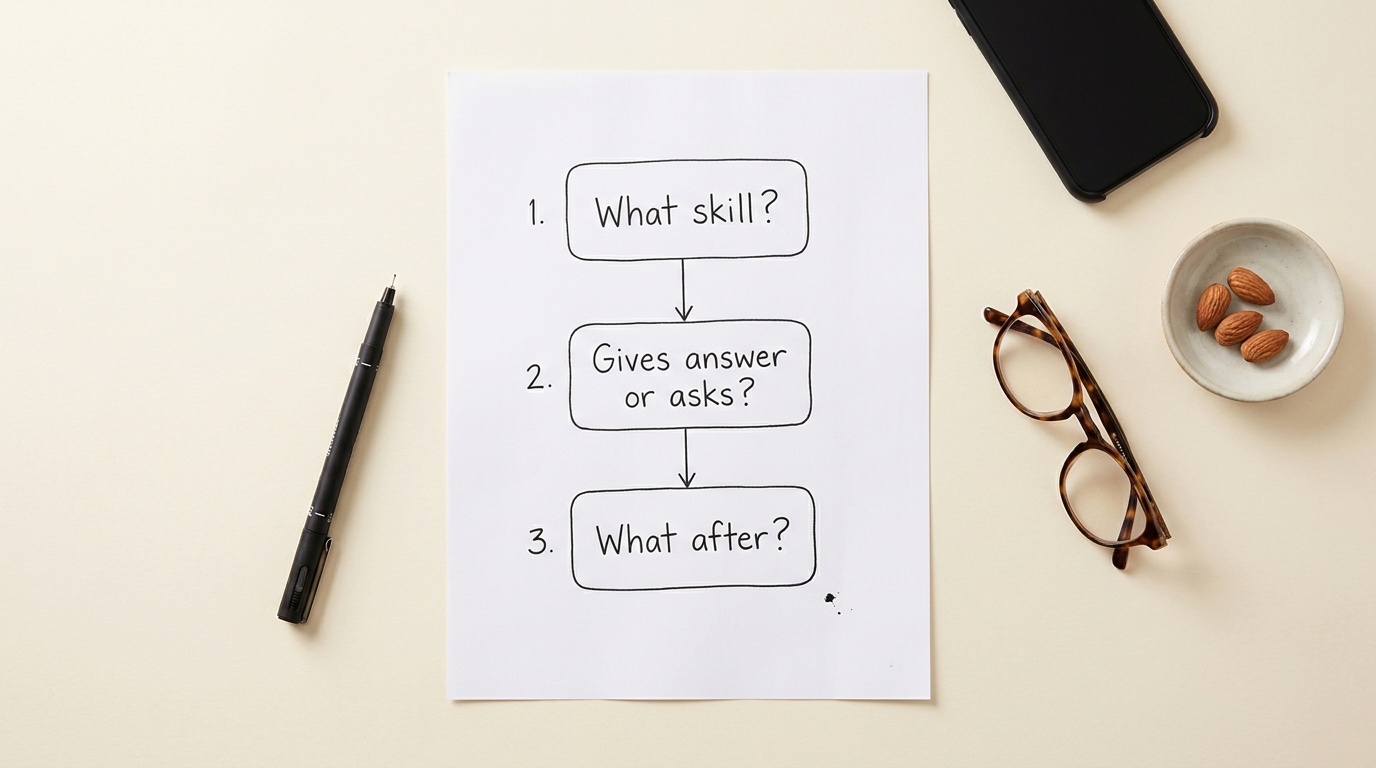
I call it the Three-Question Rule and I run through it before paying for anything:
- What specific skill is this building, and could I name it in a sentence? If I can’t, the app is probably entertainment dressed up as learning. “It helps with math” is not specific. “It builds mental math estimation for word problems” is.
- Does the AI refuse to give the answer, or does it just give it? Apps that give answers are reference tools. Apps that withhold answers and ask better questions are tutors. Both are useful, but only one is teaching.
- What does my kid do in the 10 minutes after closing the app? If they immediately ask for more screen, the app is dopamine-engineered. If they go off and build something, draw something, or tell me a fact they just learned, the learning landed.
Roughly half the apps I trialed failed question 3 inside the first week.
Common myths I had to unlearn
“More personalized = better learning.” Not always. Some of the best learning happens when a kid is mildly bored and has to push through. The app that hyper-customizes to keep them entertained can also remove the productive struggle.
“If it’s expensive, it must be better.” Synthesis is $29/month and great. Code.org is free and arguably better for what it does. Price is barely correlated with quality in this category as of late 2026.
“AI tutors will replace teachers.” Not even close, and my own experience makes me more confident in saying this rather than less. None of the AI tutors I’ve used can read my kid’s body language, notice she’s tired, or pivot the entire session because she had a fight with her brother. A good teacher does all three before 9 a.m.
Where I’m still uncertain
Long-term effects on attention span are an open question. I don’t know what 4 years of daily AI-tutor sessions does to a child’s ability to sit with a hard problem unaided. The apps haven’t been around long enough for anyone to know. I’m cautious about it but not panicked.
I also haven’t tested any of these in Urdu or Punjabi, my home languages. The non-English experience is, from what other parents in my circle tell me, noticeably weaker on every app except Duolingo (which has structural language support) and ChatGPT (which is conversational in many languages but inconsistent).
The counter-argument worth taking seriously
Some parents I respect won’t put any AI app in front of their kids before age 12, full stop. Their reasoning is that the relationship a child forms with a conversational machine is qualitatively different from a book or a TV show, and we don’t yet understand what that does developmentally. I don’t fully agree with their position, but I think it’s defensible, and on the days when my son talks to Grem the dinosaur for longer than he talks to his actual sister, I wonder if they’re right.
If you’re on the fence, default to the lowest-AI option that builds the skill you care about. Mighty + Bright over ChatGPT, Code.org over a chatbot, Khanmigo over a free-form AI. The more structured the learning, the more the AI is doing actual teaching rather than just keeping a kid occupied.
What I’d actually do if I were starting over
If my kids were 5 and 9 today and I had $40 a month to spend, I’d buy Khanmigo for the older one, use the free version of Code.org alongside it, put Mighty + Bright on the younger kid’s tablet, and skip everything else for the first six months. The other apps are good. None of them are necessary.
If your kid hates one of these inside the first 10 days, believe them. I kept pushing Synthesis on my 11-year-old for three weeks before admitting it was pitched too young for her, and we both ended those weeks frustrated. The right app for the wrong kid is just the wrong app.